YouTube Premium Feature: Watching your favorite movies and shows on YouTube is now going to be doubly enjoyable. We say this because YouTube has announced that it is making its premium Picture-in-Picture feature available for free to millions of users worldwide. It is worth noting that YouTube has approximately 2.58 billion active users across the globe.
If you, too, enjoy watching your favorite movies, shows, or videos on YouTube, there is good news for you. YouTube has made one of its premium features available to everyone for free—a feature for which users previously had to pay. Notably, YouTube currently boasts approximately 2.58 billion active users worldwide. This means that millions of users will now be able to enjoy this premium YouTube feature for free, without having to pay anything. YouTube has announced that the Picture-in-Picture (PiP) feature will soon be available to a wider audience globally. This feature allows users to watch their favorite videos in a small window while simultaneously using other applications. The feature was introduced a few years ago and, outside of the US, was previously limited to Premium subscribers on both Android and iOS devices. In other words, the company will now allow users outside the US to utilize this feature without requiring any subscription.
Google confirmed in a blog post that the PiP feature “will be available to all users worldwide in the coming months.” The tech giant had originally introduced the PiP feature for Premium subscribers on iOS in 2021.
How the Picture-in-Picture Feature Works
With the help of Picture-in-Picture (PiP), users can continue watching videos even while using other applications. On YouTube, while a video is playing, you can simply swipe upwards or press the Home button; the video will then continue playing in a small floating window on your screen. You can drag this mini-player to any location on your screen and place it over other apps, making it easy to multitask effectively.
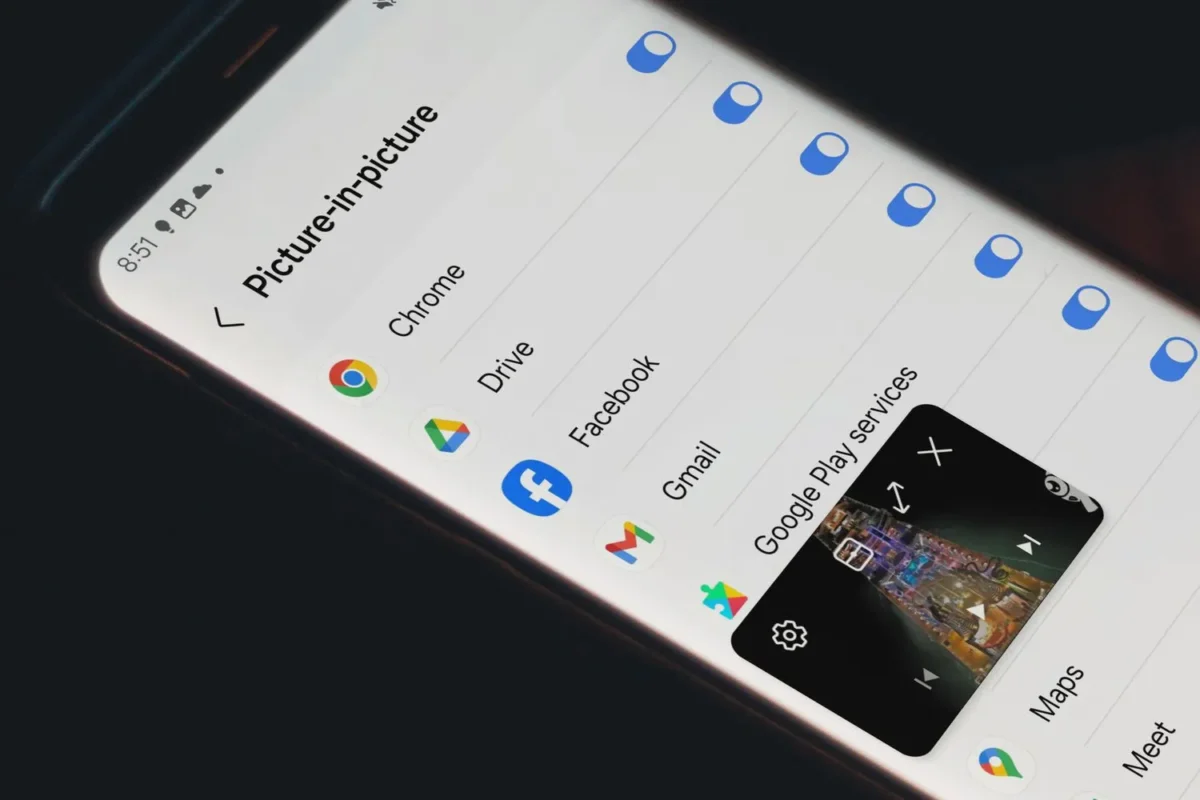
If you do not wish for PiP to activate, you can simply pause or stop the video before exiting the app. If the feature does not appear to be working correctly, users may need to check the settings within both the app and their device to ensure that the feature is enabled. Android Users: Follow These Steps
You can disable this feature by navigating to Settings -> Playback within the app and toggling off Picture-in-Picture. On Android devices, you can also manage this through your phone’s system settings. To do so, open Settings, select Apps, choose YouTube, then go to Advanced and toggle the Picture-in-Picture mode on or off.
Once you have finished watching, the floating window can be easily dismissed. You can tap on the mini-player to access controls and close it using the ‘X’ icon, or simply drag it to the bottom of the screen to remove it.
This update arrives at a time when YouTube is placing greater emphasis on how users interact with content, granting them increased control over the experience. Recently, the platform also introduced new time management tools for Shorts, allowing users to remove Shorts from their home screen—or disable them entirely—by setting their usage limit to zero. This move comes amidst growing scrutiny regarding addictive design features on social media platforms and reflects YouTube’s broader effort to strike a balance between user well-being and engagement.